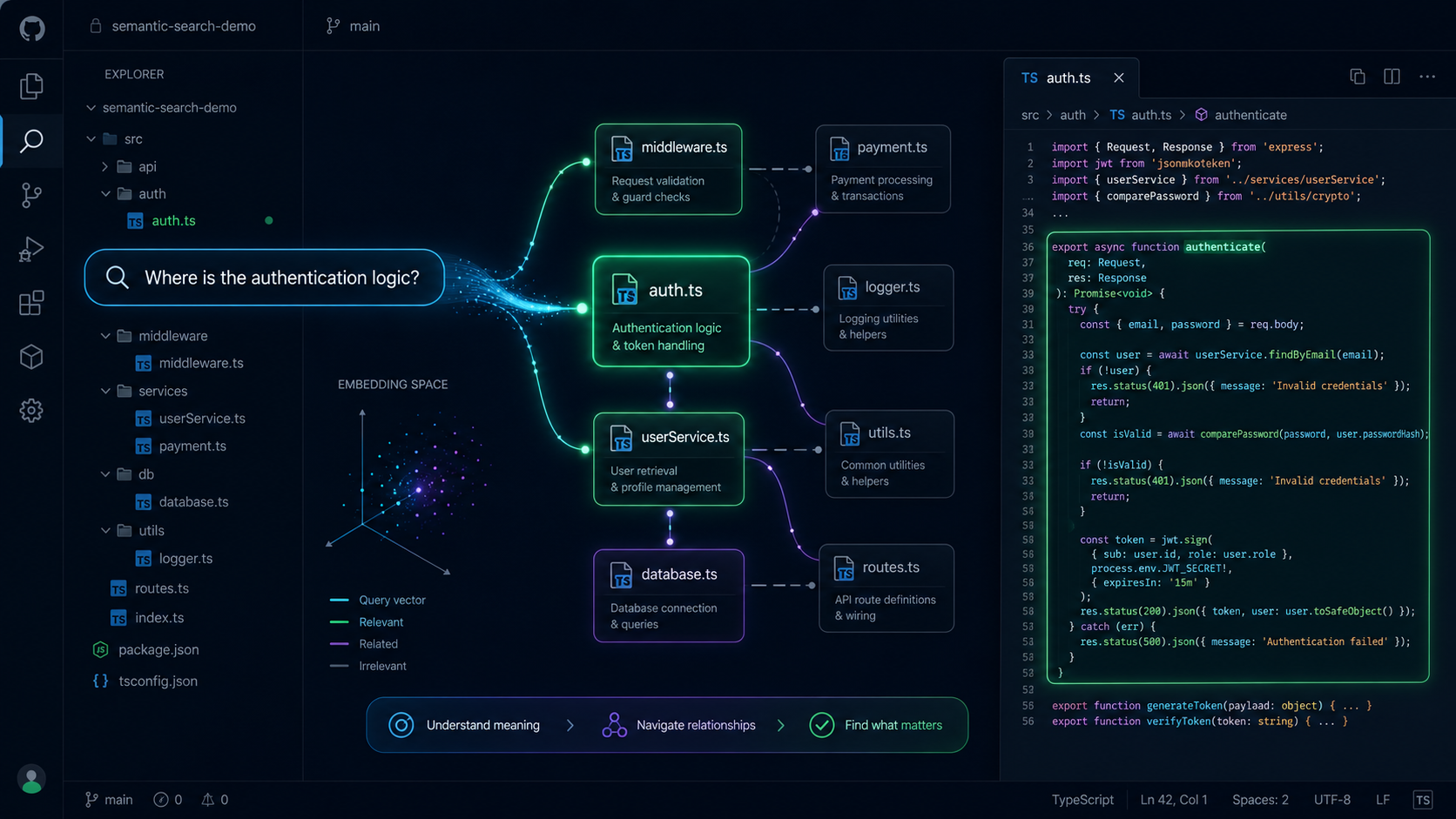
As developers, we spend a significant amount of time navigating large codebases. “Where is the authentication logic?” or “How does the payment flow work?” - these are questions we ask daily. Traditional text search falls short because it can’t understand intent. That’s why I built Code Scout.
The Problem
When joining a new project or revisiting an old one, understanding the codebase is often the biggest hurdle. You know what you’re looking for conceptually, but translating that into grep patterns or file names is tedious.
The Solution
Code Scout uses semantic search powered by LLMs to understand natural language queries and match them against your codebase. Instead of searching for exact strings, you can ask questions like:
- “Where is the user authentication handled?”
- “Find functions that validate email addresses”
- “Show me the database connection logic”
Technical Architecture
The system is built with multiple layers:
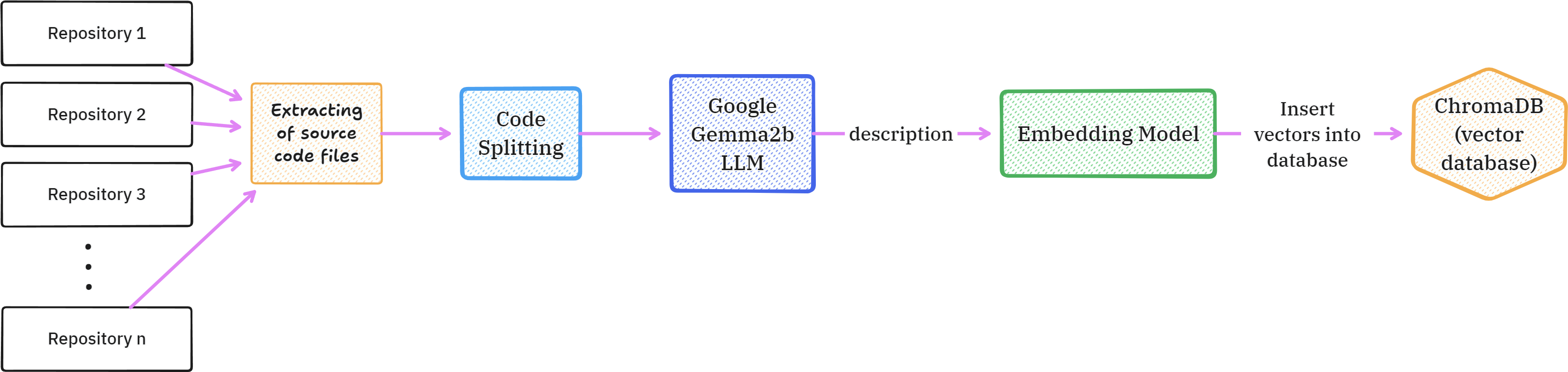
Ingestion Pipeline
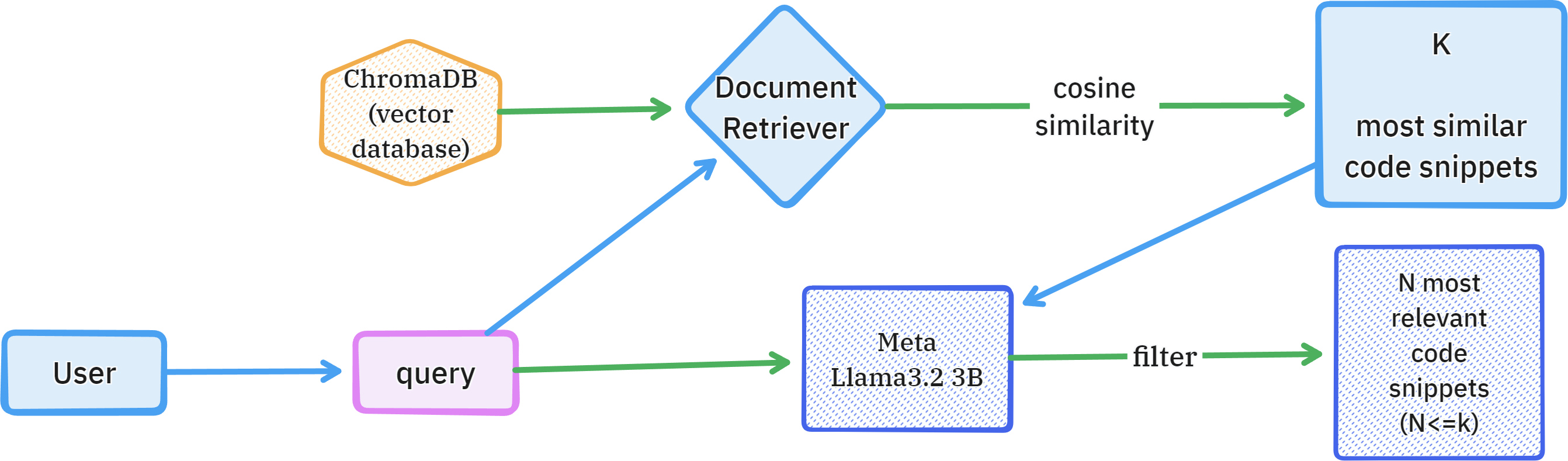
Query Answering
Key Components
- Vector Database (ChromaDB) - Stores code embeddings for fast similarity search
- LLM Embeddings - Using Llama 3.1 3B and Gemma2 2B for generating semantic representations
- Multiple Interfaces - Web app, VS Code extension, and CLI for flexibility
Lessons Learned
- Chunking matters - How you split code into chunks significantly impacts search quality
- Context is king - Including file paths and surrounding code improves relevance
- Local LLMs work - You don’t always need cloud APIs; smaller models can be surprisingly effective
What’s Next
I’m exploring adding:
Real-time indexing as you code

Cross-repository search
Integration with more IDEs
Check out the project on GitHub and let me know what you think!
This post is part of my series on building developer tools. Follow along for more deep dives into the technical challenges of modern software development.